
robots.txt for AI Training: How to Build a Selective Policy
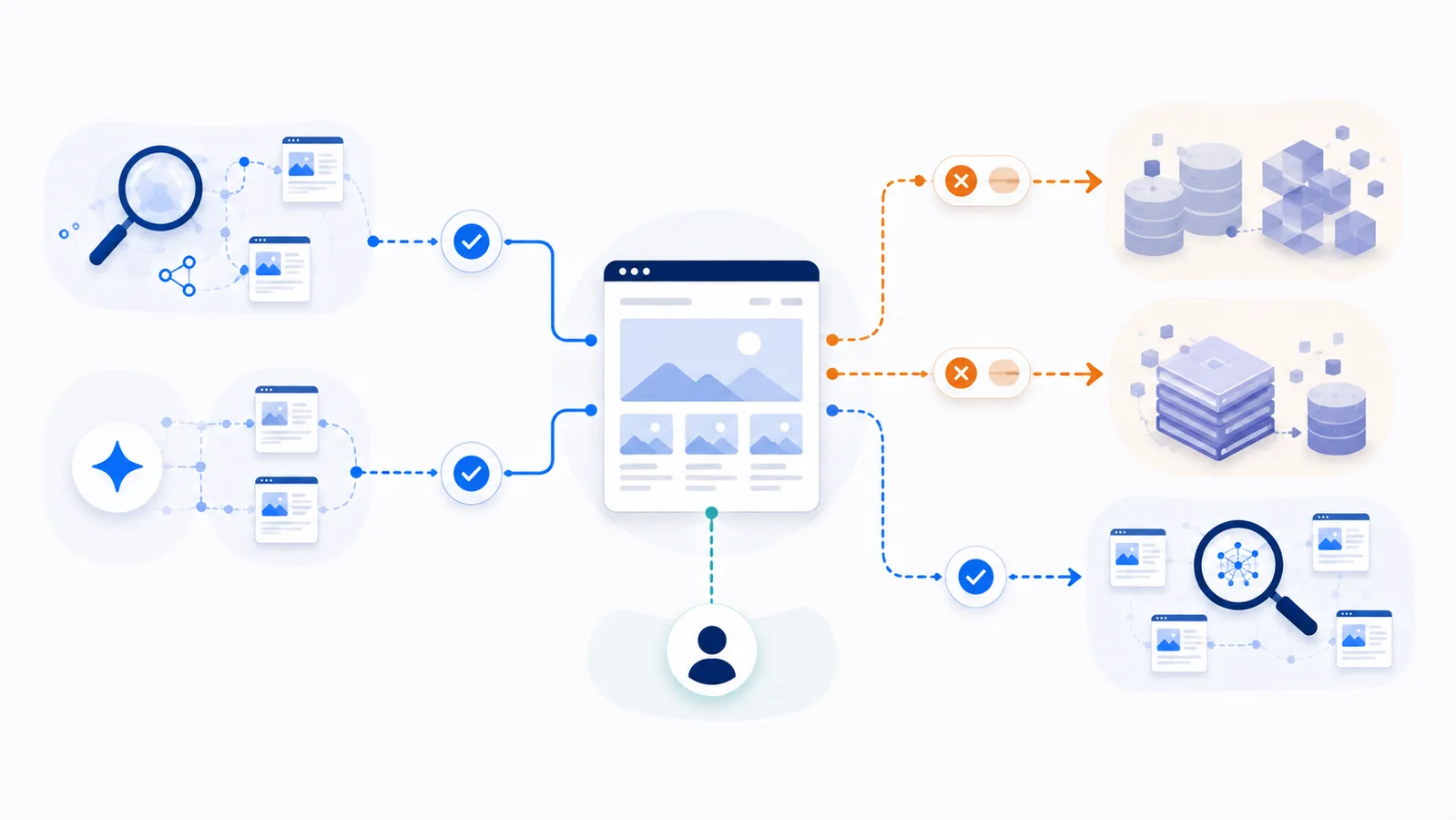
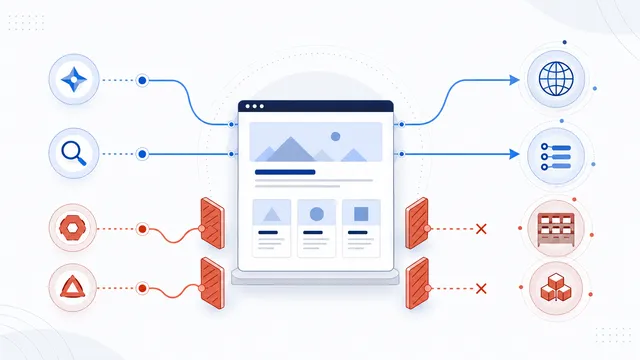
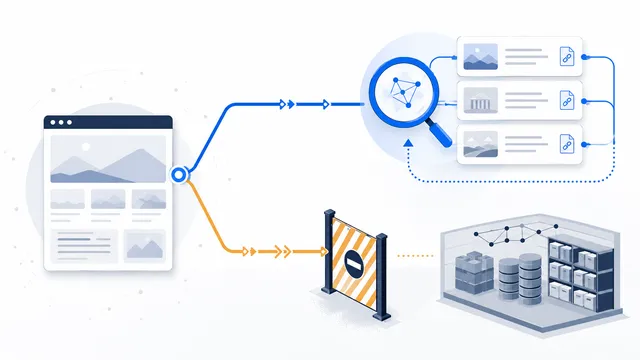
To restrict AI training access, identify each provider’s exact training or dataset token and disallow it in a dedicated robots.txt group. Keep search crawlers in separate allowed groups, treat product-control tokens such as Google-Extended according to their documentation, and use authentication or server-side controls when access must be enforced.
Copy-paste robots.txt example
User-agent: GPTBot
Disallow: /

User-agent: ClaudeBot
Disallow: /

User-agent: CCBot
Disallow: /

User-agent: OAI-SearchBot
Allow: /

User-agent: Claude-SearchBot
Allow: /

User-agent: PerplexityBot
Allow: /

User-agent: Googlebot
Allow: /

User-agent: Bingbot
Allow: /
Define what “AI training” means for your site
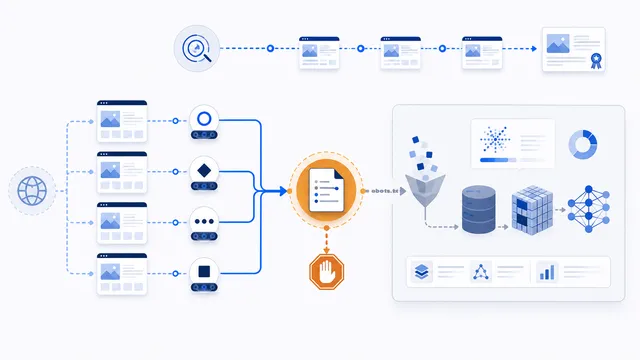
A useful policy begins with purpose, not a copied block list. Some agents crawl material that may contribute to model development, some build searchable indexes, and others fetch a page after a user asks a question. Blocking all agents associated with an AI company can unnecessarily remove search citations or user-requested access.
Create a short inventory of the exact published tokens that matter to your content. Examples include GPTBot for OpenAI model development and ClaudeBot for Anthropic model development. Dataset crawlers such as CCBot may also be relevant to a broader data-use policy. Product controls such as Google-Extended and Applebot-Extended require separate interpretation because they are not ordinary standalone crawler identities.
Use exact groups instead of a global shutdown
Place each restricted token in its own group so your intent is visible and maintainable:
User-agent: GPTBot
Disallow: /

User-agent: ClaudeBot
Disallow: /

User-agent: CCBot
Disallow: /
A global rule such as User-agent: * Disallow: / requests that every compliant crawler stop, including Googlebot, Bingbot, AI search crawlers, monitoring tools, and other services. That is rarely the intended result for a public site.
Preserve discovery routes explicitly
If you want public content to remain discoverable in search and AI answers, keep search-oriented agents open in separate groups:
User-agent: OAI-SearchBot
Allow: /

User-agent: Claude-SearchBot
Allow: /

User-agent: PerplexityBot
Allow: /

User-agent: Googlebot
Allow: /

User-agent: Bingbot
Allow: /
Provider documentation can change, so do not assume that every bot name containing “AI” is used for training. Review the current purpose before adding a restriction.
Handle user-triggered agents separately
Agents such as ChatGPT-User, Claude-User, and Perplexity-User act in response to a person. Their providers may state that robots.txt does not apply or may not reliably apply to these requests. Decide whether user-requested retrieval supports your audience, but do not rely on robots.txt when the content must be technically inaccessible.
Understand what the file can and cannot do
The Robots Exclusion Protocol is an advisory standard for automatic clients. It is not authorization, copyright enforcement, or a private-content barrier. A compliant crawler can honor your preference; an unidentified scraper can ignore it. Use login requirements, signed URLs, rate limiting, bot management, or contractual controls where appropriate.
Publish, validate, and maintain the policy
- Serve one robots.txt file at the root of each host and protocol you control.
- Use the AI robots.txt generator to assemble exact groups.
- Run the result through the checker.
- Inspect logs for accidental blocks and spoofed user agents.
- Review provider documentation on a schedule and update retired or renamed tokens.
For a ready-made structure, start with the Allow Search, Block AI Training template.
FAQ
Can robots.txt guarantee that my content is not used for AI training?
No. It communicates a preference to compliant agents. It does not prevent a crawler from ignoring the file, using previously obtained material, or receiving content through another authorized source.
Should I block every bot operated by an AI company?
Usually not. Providers often separate training, search-discovery, and user-requested agents. Blocking every token can reduce citations, search visibility, or features that a person explicitly requested.
Are Google-Extended and Applebot-Extended normal crawlers?
They are product-use control tokens rather than ordinary standalone crawler identities. Follow the provider’s current documentation and do not expect a separate matching HTTP user agent in logs.
Why keep Googlebot and Bingbot allowed?
They support ordinary search discovery. Blocking them can damage search visibility and is broader than an AI-training opt-out.
What should protect private or licensed content?
Use server-side authorization, authentication, paywalls, signed access, rate limits, WAF or bot-management controls. Robots.txt is not a security mechanism.
 How to Block AI Crawlers with robots.txt
 How to Allow AI Search but Block AI Training
 AI Training Crawler: Definition and robots.txt Control
 GPTBot: robots.txt Rules for OpenAI Training Crawling
 ClaudeBot robots.txt Guide