
robots.txt for Publishers and Content Sites
Publishers should use exact crawler groups instead of a blanket block: keep ordinary search crawling open, decide separately on AI training and AI-search access, and protect subscriber-only material with authentication rather than robots.txt.

Copy-paste robots.txt example
User-agent: GPTBot
Disallow: /

User-agent: ClaudeBot
Disallow: /

User-agent: CCBot
Disallow: /

User-agent: OAI-SearchBot
Allow: /

User-agent: Claude-SearchBot
Allow: /

User-agent: Googlebot
Allow: /

User-agent: Bingbot
Allow: /
Start with a publishing policy, not a copied block list
Publishers, newsrooms, magazines, blogs, research libraries, and other content-heavy sites usually have more than one goal. They may want articles discovered in Google or Bing, cited in AI search, excluded from model-training collection, and protected behind a subscription at the same time. Those goals require separate controls.
Robots.txt is useful for communicating crawler policy to compliant automated clients. It is not a licence agreement, paywall, authentication layer, or guarantee that every scraper will comply. Treat it as one part of a wider publishing and access strategy.
Separate search, AI training, and user-request access
Do not assume that every bot from one provider has the same purpose. OpenAI documents separate controls for GPTBot and OAI-SearchBot. Anthropic similarly distinguishes ClaudeBot, Claude-SearchBot, and user-requested access. Google uses Googlebot for Search and a separate Google-Extended product token for specified Gemini uses.
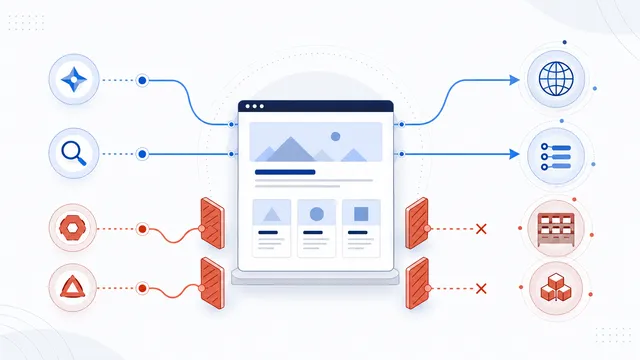
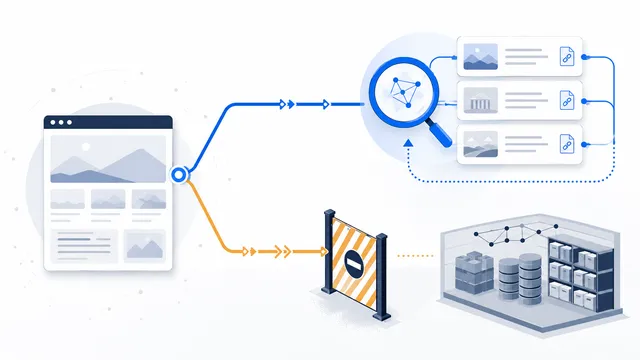
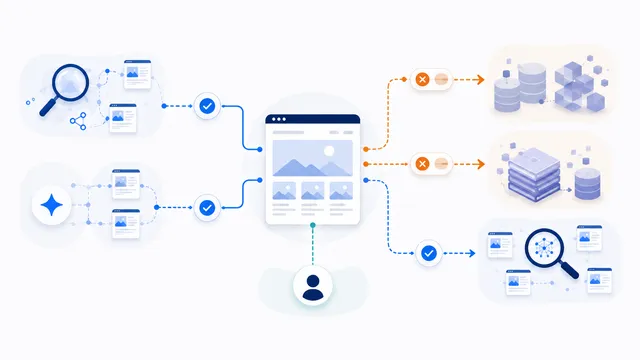
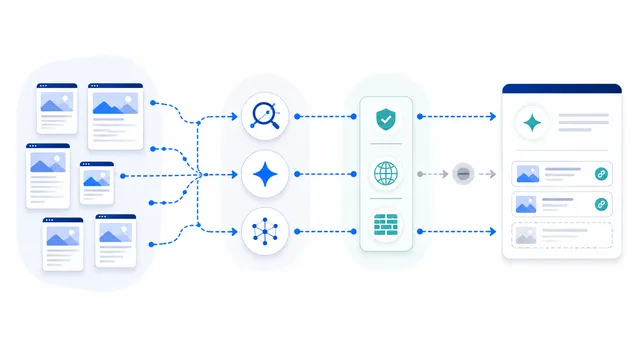
This means a publisher can make a selective decision: allow ordinary search indexing and AI-search discovery while blocking named training-oriented crawlers. Review each official token rather than blocking a company name or every crawler with User-agent: *.
Use a selective publisher configuration
The following example keeps common search and AI-search routes open while requesting that several training-oriented crawlers stay out:
User-agent: GPTBot
Disallow: /

User-agent: ClaudeBot
Disallow: /

User-agent: CCBot
Disallow: /

User-agent: OAI-SearchBot
Allow: /

User-agent: Claude-SearchBot
Allow: /

User-agent: Googlebot
Allow: /

User-agent: Bingbot
Allow: /
Adapt the list to your editorial policy. A publisher that does not want AI-search citations can also block those search-specific agents. A publisher that values referral traffic and attribution may choose to keep them open.
Do not expose paid or private content through robots.txt
Subscriber articles, licensed archives, embargoed material, account pages, and internal editorial systems need enforceable access controls. Use authentication, authorization, paywall logic, signed URLs, and server-side rate or bot controls. Listing a private path in robots.txt can reveal that the path exists while doing nothing to stop a non-compliant requester.
For article previews, decide what anonymous visitors and crawlers may actually receive. If the server sends the complete article in HTML and hides it only with front-end code, robots.txt cannot repair that access-control mistake.
Apply rules per host and content area
A robots.txt file applies only to the same scheme, host, and port. If your publication uses separate hosts for the main site, archive, image CDN, or subscriber platform, each host needs its own policy. Use path-specific rules only when they reflect a stable content structure; broad root-level decisions are easier to audit than dozens of fragile exceptions.
Verify the result and review it over time
- Publish the file at
/robots.txton the exact host. - Open the public URL and confirm a successful plain-text response.
- Test representative article, archive, image, and subscriber URLs with the robots.txt checker.
- Review server logs to see which declared agents still request content.
- Recheck provider documentation when crawler names or product purposes change.
For a ready starting point, use the allow-search, block-training template. The broader AI scraping limits guide explains when server-side enforcement is required.
FAQ
Should a publisher block every AI crawler?
Not automatically. Separate training, AI-search, user-request, and ordinary search agents, then block only the purposes that conflict with your publishing policy.
Can robots.txt protect subscriber-only articles?
No. Paid or private content requires authentication and server-side authorization. Robots.txt is a public instruction for compliant crawlers, not an access-control system.
Will blocking AI training crawlers reduce Google or Bing visibility?
Crawler-specific training blocks should not affect Googlebot or Bingbot when those search agents remain allowed. A broad wildcard block can damage normal search crawling.
Can publishers allow AI search citations but refuse model training?
Yes when a provider publishes separate crawler controls for those purposes. Write independent groups for the documented tokens and verify each one separately.
Do subdomains and content delivery hosts need separate files?
Yes. Robots.txt rules apply only to the same scheme, host, and port. A separate archive, image host, or subscriber subdomain needs its own policy.
 How to Block AI Crawlers with robots.txt
 How to Allow AI Search but Block AI Training
 robots.txt for AI Training: Build a Selective Opt-Out
 robots.txt for AI Search: Discovery Crawler Guide
 robots.txt Checker