
Block Google-Extended Without Blocking Googlebot
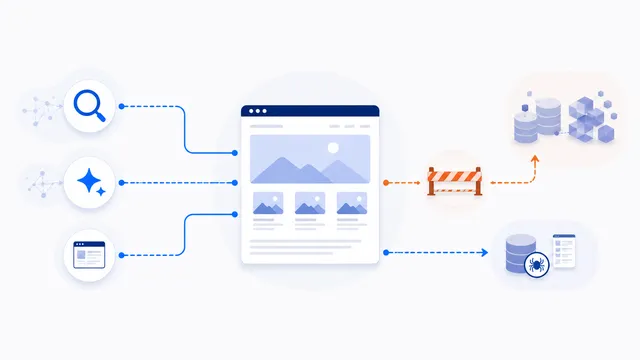
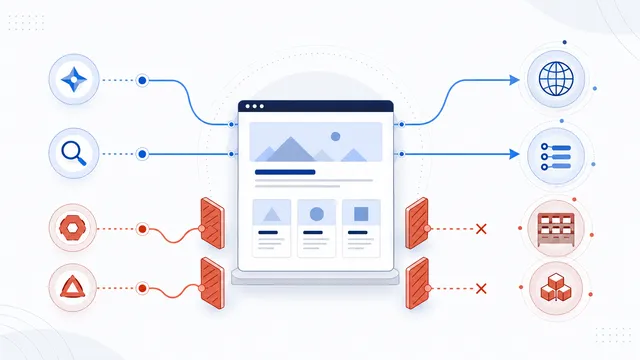
Add a Google-Extended Disallow group to restrict eligible content from Gemini model training and grounding uses. Google-Extended is a control token rather than a separate HTTP crawler, and Google states that blocking it does not affect inclusion or ranking in Google Search.

Copy-paste robots.txt example
User-agent: Google-Extended
Disallow: /
Copy the Google-Extended rule
Use this crawler-specific group when you want Google Search to continue crawling the site but do not want eligible content used through the products controlled by Google-Extended:
User-agent: Google-Extended
Disallow: /
The rule can also target selected paths instead of the whole host. For example, replace / with /members/ or another public section whose use you want to restrict.
Google-Extended is not Googlebot
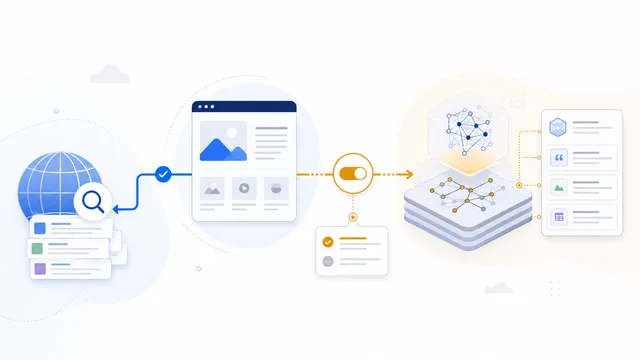
Google-Extended is a standalone robots.txt product token. It does not have its own separate HTTP User-Agent string; Google crawls with existing Google agents and applies this token as a control over whether eligible content may be used for training future Gemini models and for certain grounding uses.
Google states that a Google-Extended preference does not affect a site’s inclusion in Google Search and is not used as a Google Search ranking signal. Do not block Googlebot when your intention is only to opt out of Google-Extended uses.
Keep Search open explicitly only when needed
A standalone Google-Extended group does not require an additional Googlebot group in a simple file. If your existing robots.txt has a wildcard block, however, add or review the more specific Googlebot rules so the final configuration still matches your search policy:
User-agent: Google-Extended
Disallow: /

User-agent: Googlebot
Allow: /
Always evaluate the entire file. Repeated groups for the same token may be combined by the crawler, and a broad rule elsewhere can create an outcome that is not obvious from one copied snippet.
Publish the rule correctly
- Merge the Google-Extended group into the robots.txt file for the exact host you want to control.
- Serve it from the host root, such as
https://example.com/robots.txt. - Confirm that the live response is plain text and returns HTTP 200.
- Test
Google-ExtendedandGooglebotseparately with the robots.txt checker.
Because Google-Extended is a control token, do not expect to find a distinct Google-Extended crawler string in server logs. If you need to verify whether a request genuinely comes from Google infrastructure, use Google’s published crawler verification methods rather than trusting a self-declared header.
Know the limit of the template
This rule communicates a use preference to Google. It does not make a public page private, remove it from Google Search, or prevent every third party from copying it. Use noindex for supported search-indexing control, and use authentication or authorization when access itself must be restricted.
FAQ
Does blocking Google-Extended block Googlebot?
No. Google-Extended and Googlebot are separate robots.txt tokens. A Google-Extended-specific block does not by itself prevent Googlebot from crawling for Search.
Will this hurt my Google Search rankings?
Google states that Google-Extended does not affect inclusion in Google Search and is not used as a Google Search ranking signal.
Can I find Google-Extended in my server logs?
Not as a distinct HTTP User-Agent. Google-Extended is a control token applied to content crawled through existing Google user agents.
Can I block only one section of the site?
Yes. Use specific path rules instead of Disallow: /, then test the exact paths for both Google-Extended and Googlebot.
Does Google-Extended make private content secure?
No. It communicates a content-use preference. Private or sensitive resources still require authentication, authorization, or another enforceable access control.
 Google-Extended robots.txt Control for Gemini
 Google-Extended vs Googlebot: Search and Gemini Control
 Allow Search, Block AI Training robots.txt Template
 robots.txt Checker
 How to Block AI Crawlers with robots.txt