
Common robots.txt Mistakes: Diagnose and Fix the File
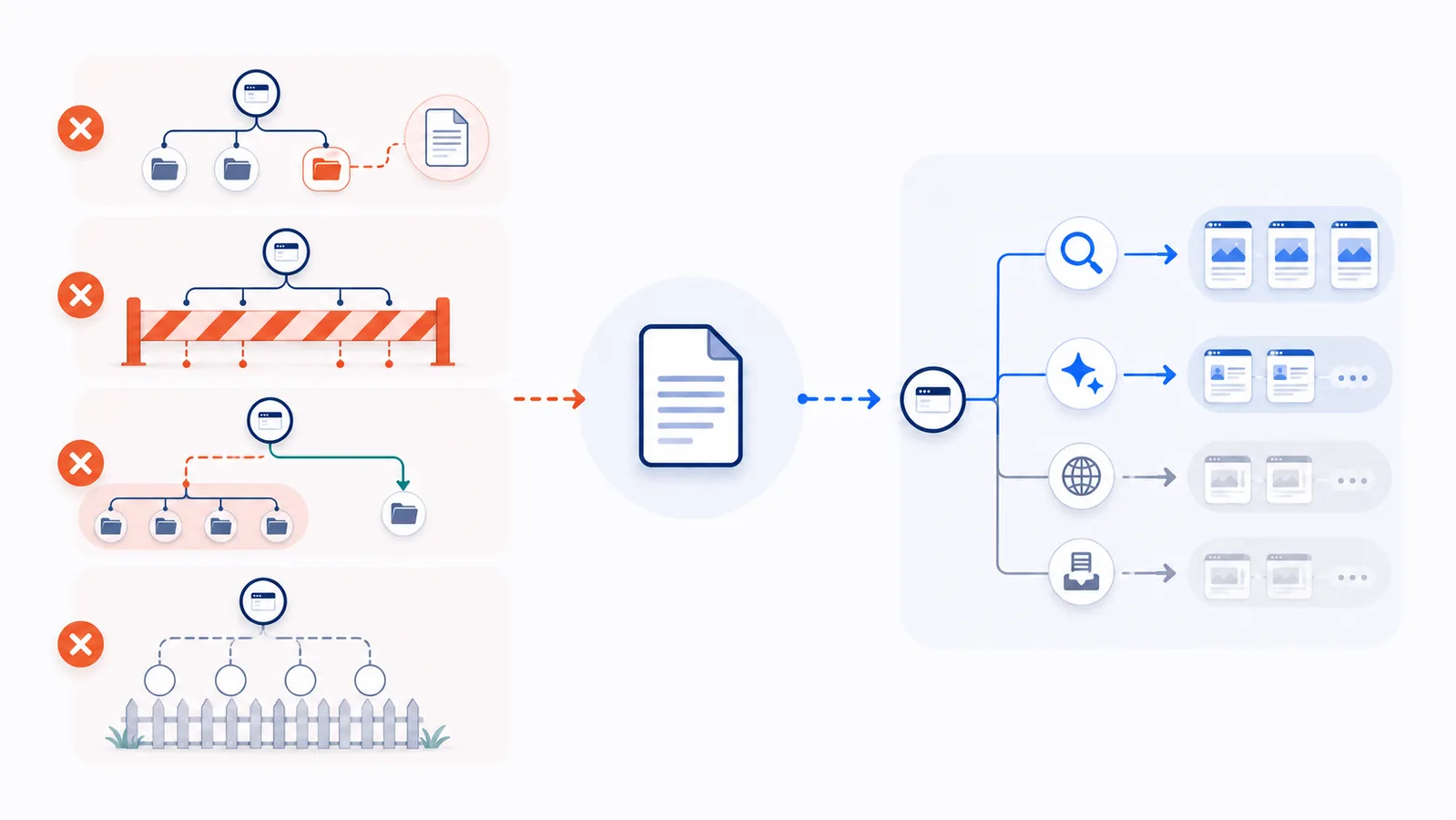
The most damaging robots.txt mistakes are publishing the file on the wrong host, blocking every crawler with a wildcard, confusing crawl control with deindexing or security, using incorrect path rules, and failing to test the complete file. Validate exact URLs and crawler groups before deployment.
Copy-paste robots.txt example
User-agent: GPTBot
Disallow: /

User-agent: OAI-SearchBot
Allow: /

User-agent: Googlebot
Allow: /

User-agent: Bingbot
Allow: /

Sitemap: https://example.com/sitemap.xml
1. Publishing robots.txt in the wrong location
The file must be available as /robots.txt at the root of the exact host, protocol, and port it controls. A file at /folder/robots.txt is not the policy for the site root. Likewise, the file on www.example.com does not automatically control shop.example.com.
2. Blocking every crawler by accident
This two-line rule requests a complete crawl shutdown for every compliant agent:
User-agent: *
Disallow: /
It can affect Googlebot, Bingbot, AI search crawlers, monitoring tools, and other services. Use exact user-agent groups when your goal is selective AI training control.
3. Treating robots.txt as deindexing
Robots.txt controls requests, not guaranteed removal from search results. A blocked URL can still be discovered from links and shown without a normal snippet. If a page must not appear in search, use a crawlable noindex directive, authentication, or the search engine’s removal process as appropriate.
4. Treating robots.txt as security
The Robots Exclusion Protocol is not access authorization. The file is public, exposes the paths it names, and can be ignored by a malicious client. Never use it to protect private dashboards, customer files, licensed downloads, or confidential directories.
5. Using incorrect path syntax
Rule paths should begin with / and are evaluated against the URL path. They are case-sensitive for crawlers that follow the standard. A rule for /Private/ may not match /private/. Test representative URLs rather than assuming a directory name is correct.
6. Misunderstanding Allow and Disallow priority
For matching rules, compliant crawlers use the most specific path. When an Allow and Disallow rule have equally specific matching paths, Allow wins under RFC 9309. File order is not a safe substitute for understanding specificity.
User-agent: *
Disallow: /account/
Allow: /account/help/
7. Creating duplicate or malformed groups
Repeated groups for the same user-agent may be combined by compliant parsers. A missing colon, accidental HTML response, invalid encoding, or copied smart punctuation can cause rules to be ignored. Serve plain UTF-8 text and inspect the public response, not only the editor.
8. Blocking rendering resources
Disallowing essential CSS, JavaScript, or image assets can stop a search crawler from understanding the page as users see it. Restrict unimportant resources only after confirming that rendering and indexing are not affected.
9. Using the wrong crawler token
Training, search, product-control, and user-triggered agents are often independent. Blocking GPTBot does not automatically block OAI-SearchBot; blocking Google-Extended does not block Googlebot. Verify the exact published token and purpose.
10. Ignoring caches and infrastructure
Crawlers may cache robots.txt, and changes can take time to propagate. A CDN, reverse proxy, or CMS can also serve an old file. Confirm the live response from multiple locations and allow the provider’s documented refresh window.
11. Trusting a user-agent header as identity
Any client can claim to be Googlebot or another crawler. Use the provider’s documented DNS or published-IP verification method before allowing, blocking, or rate-limiting traffic based on identity.
Verify three failure cases before changing a production site
These checks turn common mistakes into reproducible results. Paste the sample rules into the draft simulator, then compare the listed paths for each crawler. No requests are made to the example paths.
Case A: one broad rule blocks ordinary search
User-agent: *
Disallow: /
Expected: both Googlebot and GPTBot are blocked for /. If you only want to restrict GPTBot, use User-agent: GPTBot instead of the wildcard, and confirm the ordinary search crawler remains allowed.
Case B: an explicit crawler group stops inheriting wildcard restrictions
User-agent: *
Disallow: /account/

User-agent: GPTBot
Allow: /
Expected: GPTBot is allowed to request /account/profile by this policy, because its specific group takes precedence over the fallback wildcard group. Googlebot remains blocked for that path. If you need to restrict both, repeat the Disallow: /account/ rule in the GPTBot group.
Case C: the longer exception wins
User-agent: *
Disallow: /docs/
Allow: /docs/public/
Expected: /docs/private/file is blocked but /docs/public/guide is allowed. Test a path on each side of the exception; testing only the homepage cannot reveal it.
All of these checks evaluate declared crawling policy, not whether a URL is secure, indexed or actually visited. After deploying, check the live /robots.txt response as well as the draft result.
12. Skipping validation before deployment
Use the draft test to simulate multiple paths before publication, then the live checker with real allowed and blocked URLs after publication. Review wildcard groups, duplicate agents, empty rules, sitemap lines, response status, and the effect on normal search crawlers before publishing.
FAQ
Is User-agent: * Disallow: / always a mistake?
No, it is valid when you intentionally want every compliant crawler to avoid the entire host. It is a mistake when the real goal is only to block selected AI or dataset crawlers.
Why can a blocked URL still appear in search results?
Robots.txt can stop crawling while the URL is still discovered through links. Search engines may display the address without a normal snippet. Use an appropriate indexing or access-control method for removal.
Does the first matching Allow or Disallow line win?
No. Matching is based on path specificity. Under RFC 9309, the most specific rule wins, and Allow wins when equally specific Allow and Disallow rules match.
Can robots.txt protect a private folder?
No. It is a public advisory file and not authorization. Protect private resources with authentication and server-side access controls.
How do I know whether a crawler name in my logs is genuine?
Do not trust the user-agent string alone. Use the provider’s official DNS verification process or published IP ranges, depending on its documentation.
 What Is robots.txt? Scope, Rules and Limitations
 User-Agent in robots.txt: Definition and Matching
 Disallow in robots.txt: Meaning and Examples
 Allow in robots.txt: Rules, Priority, and Examples
 robots.txt Checker