
What Does Disallow Mean in robots.txt?
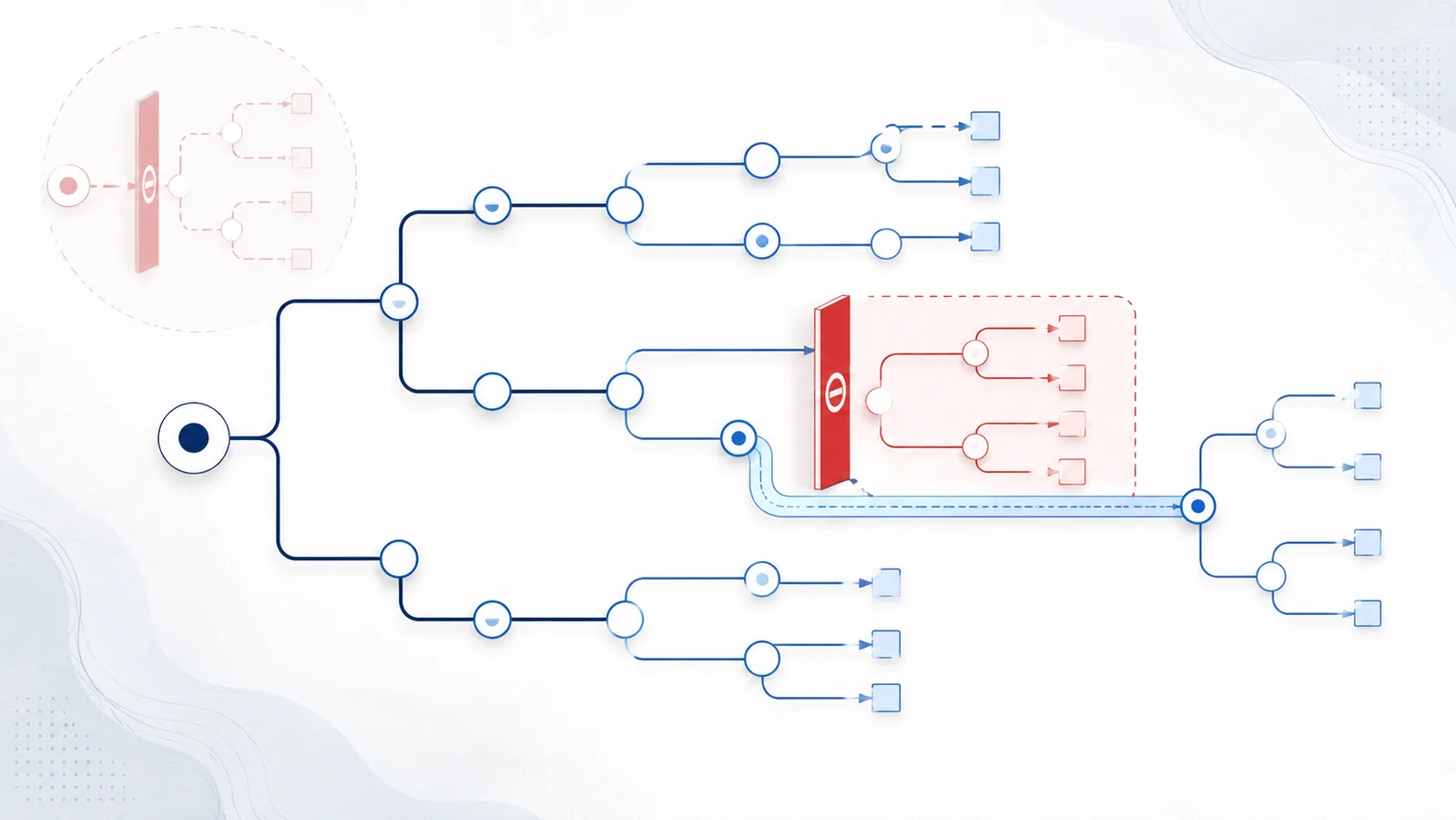
Disallow tells the matching crawler not to request URL paths beginning with the specified pattern. Disallow: / blocks the entire host for that group, while an empty Disallow: rule is ignored. When rules conflict, the most specific matching path wins.
Copy-paste robots.txt example
User-agent: *
Disallow: /private/
Allow: /private/public-guide.html
Disallow definition
Disallow is a robots.txt rule that asks the crawlers in the current User-agent group not to access matching URL paths. The value begins with a path relative to the root of the host. For example, Disallow: /private/ matches URLs whose path starts with /private/.
The rule affects crawling, not authorization. It does not hide the path, encrypt the content, or prevent a non-compliant client from requesting it.
Important Disallow values
Disallow: / is the broadest possible block because every path starts at the root. Use it only when the selected crawler should not crawl anything on that host. By contrast, an empty Disallow: line has no path and is ignored; it does not block the site.
Path matching starts at the beginning of the URL path and is case-sensitive. Therefore, /Private/ and /private/ can be different locations. A plain prefix may also match more than expected: Disallow: /fish can match /fish, /fish.html, and /fishheads. Add a trailing slash or an end marker when the intended boundary needs to be narrower.
Test Disallow: /, an empty rule, and a narrow restriction
Rule under User-agent: * | / | /private/file | Meaning |
|---|---|---|---|
Disallow: / | Blocked | Blocked | Requests across the origin are disallowed for that group. |
Disallow: | Allowed | Allowed | An empty path is not a sitewide block. |
Disallow: /private/ | Allowed | Blocked | Only matching paths are restricted. |
To reproduce these results, test each rule set separately in the draft Checker against both paths. If you need search engines to remove a page from results, Disallow is not a reliable removal mechanism: it controls crawling, not what external links can reveal about the URL.
Wildcards and exact endings
Compliant crawlers support * for zero or more characters and $ for the end of a match. For example, Disallow: /*.pdf$ targets paths ending in .pdf but not a URL where .pdf is followed by a query string. Test patterns against real URLs because one extra slash, capital letter, or query parameter can change the result.
Disallow and Allow precedence
When several rules match a URL, the most specific path wins—the one matching the greatest number of path bytes. This lets a narrow Allow exception reopen one public resource inside a broadly disallowed directory. If equally specific Allow and Disallow rules conflict, the Robots Exclusion Protocol prefers Allow.
The example below blocks a private directory but permits one explicitly public guide inside it. It is clearer and safer than adding multiple overlapping broad rules.
Crawling, indexing, and security
A disallowed URL may still be known to a search engine through links, sitemaps, or previous crawls. Because the crawler cannot fetch the page, it may also be unable to read a page-level noindex tag. If removal from search results is required, allow the search crawler to access the page long enough to process noindex or use the engine’s removal tools.
Never list genuinely secret locations as a substitute for access control. Robots.txt is public and can make hidden-looking paths easier to discover. Protect sensitive resources with authentication and server-side authorization.
Disallow checklist
FAQ
What does Disallow: / do?
It asks the matching crawler not to access any URL path on that host because every path begins at the root slash.
Does an empty Disallow rule block everything?
No. A Disallow line without a path is ignored and places no restriction on crawling.
Are Disallow paths case-sensitive?
Yes. Path matching is case-sensitive, so /Private/ and /private/ may match different URLs.
Can a disallowed URL still appear in search results?
Yes. A search engine may know the URL from links or earlier crawls even when it cannot fetch the current content.
Does Disallow protect confidential files?
No. Robots.txt is public and voluntary. Use authentication and server-side authorization for confidential resources.
 What Is robots.txt? Scope, Rules and Limitations
 User-Agent in robots.txt: Definition and Matching
 Allow in robots.txt: Rules, Priority, and Examples
 AI robots.txt Generator
 robots.txt Checker