
OpenAI robots.txt Controls: Training vs Search
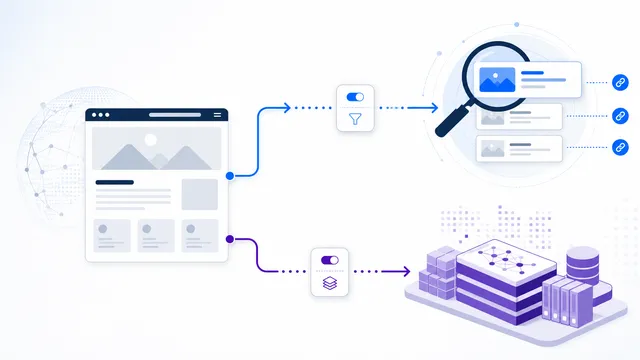
OpenAI exposes separate robots.txt controls for GPTBot and OAI-SearchBot. Use them independently: GPTBot controls training-related crawling, while OAI-SearchBot controls automatic crawling for ChatGPT Search visibility.

Copy-paste robots.txt example
User-agent: GPTBot
Disallow: /

User-agent: OAI-SearchBot
Allow: /
There is no single robots.txt switch that cleanly means “all OpenAI activity.” OpenAI separates automatic crawler controls by purpose, so the safest template is one that states your policy explicitly.
Decision matrix: choose OpenAI controls by outcome
| Goal | Relevant group | What to verify |
|---|---|---|
| Opt out of automatic training crawl | GPTBot | / blocked for GPTBot |
| Remain eligible for ChatGPT Search | OAI-SearchBot | Public article allowed for this token |
| Prevent visitors from opening private data | Neither robots.txt group | Authentication/authorization on the origin |
For a selective policy, run both product tokens against the same representative article path using the draft rule tester. Do not assume that User-agent: * lines are inherited by a crawler-specific group: validate the effective group displayed in the result.
After publishing, verify the actual HTTP response from /robots.txt, not only the text pasted into the generator. OpenAI's official crawler documentation explains that ChatGPT-User is user-triggered and robots.txt rules may not apply to those requests. Thus a template for GPTBot and OAI-SearchBot is not a universal restriction on every possible visit from ChatGPT.
Common policy: block training, keep ChatGPT Search
User-agent: GPTBot
Disallow: /

User-agent: OAI-SearchBot
Allow: /
This tells GPTBot not to crawl the site for the training-related purpose documented by OpenAI while keeping the search crawler allowed.
Block both automatic OpenAI crawlers
If you intentionally want to opt out of both GPTBot crawling and ChatGPT Search crawling, disallow both groups:
User-agent: GPTBot
Disallow: /

User-agent: OAI-SearchBot
Disallow: /
Be aware of the consequence: OpenAI states that sites opted out of OAI-SearchBot will not be shown as sources in ChatGPT search answers, although navigational links can still appear.
Why ChatGPT-User is not in this template
ChatGPT-User is used for certain user-initiated fetches, not automatic web crawling. OpenAI says robots.txt rules may not apply to those user-triggered requests and that ChatGPT-User is not used to determine Search inclusion. Adding it here would make the template look more comprehensive while giving a false impression of guaranteed blocking.
Apply the template safely
Merge the groups with your existing file rather than replacing valid Google, Bing, CMS, or sitemap rules. Then test the exact URLs you care about with the robots.txt Checker. If content must be technically inaccessible, use authentication or server/WAF controls; robots.txt is a crawl policy, not an access-control system.
For the narrow one-agent version, use Block GPTBot. For agent definitions, see GPTBot and OAI-SearchBot.
FAQ
Which OpenAI agents does this template address?
It addresses GPTBot for training-oriented crawling, OAI-SearchBot for ChatGPT search discovery, and ChatGPT-User for certain user-initiated page visits.
Can I block training but stay visible in ChatGPT search?
Yes. Disallow GPTBot and allow OAI-SearchBot. OpenAI documents those controls as independent settings.
Will ChatGPT-User always obey this robots.txt rule?
Not necessarily. OpenAI states that robots.txt may not apply because ChatGPT-User actions are initiated by a user. Use authentication and server-side enforcement for restricted content.
Does blocking OAI-SearchBot remove every link to my site from ChatGPT?
OpenAI says opted-out sites will not be shown in ChatGPT search answers, though they may still appear as navigational links.
Why is OAI-AdsBot not included?
OAI-AdsBot is documented for validating web pages submitted as ChatGPT ad landing pages. It is not part of the normal training, search, or user-request crawler set covered by this template.
 GPTBot: robots.txt Rules for OpenAI Training Crawling
 OAI-SearchBot robots.txt Guide
 ChatGPT-User: User-Triggered Fetches and robots.txt
 GPTBot vs OAI-SearchBot: Training vs Search
 robots.txt Checker