
How to Check Whether AI Crawlers Are Blocked
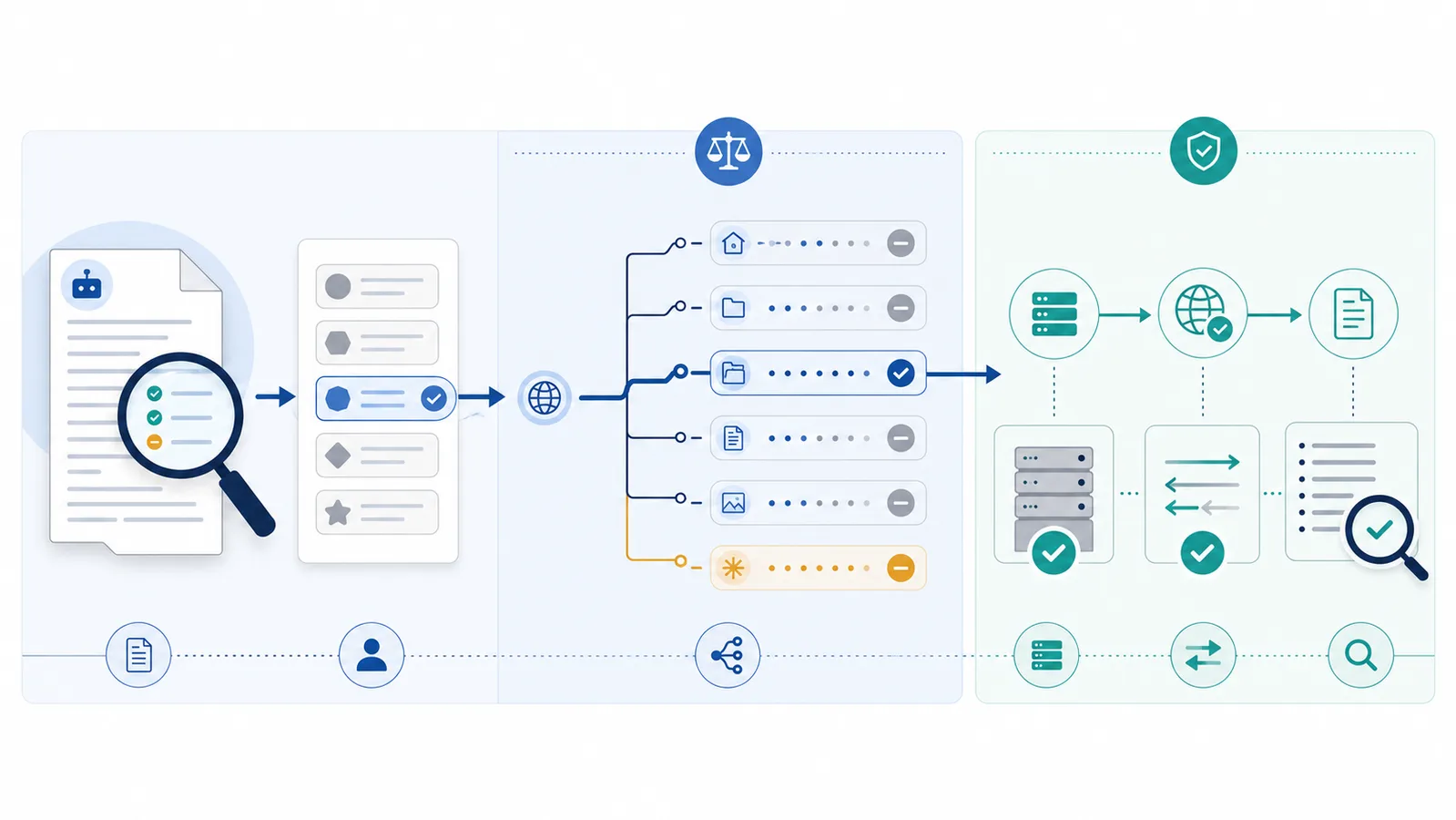
Fetch the live robots.txt file, select the crawler’s exact product token, and test the specific URL against the matching group and longest Allow or Disallow rule. Then check HTTP responses, caching, firewall rules, and logs, because a crawler may be allowed by robots.txt yet blocked by the server—or disallowed by robots.txt while an unidentified scraper still reaches the page.
Copy-paste robots.txt example
User-agent: GPTBot
Disallow: /research/
Allow: /research/public-summary.html

User-agent: OAI-SearchBot
Allow: /
Start with the live file, not a saved copy
Open https://your-domain.com/robots.txt for the exact host you want to test. Rules are scoped by protocol, host, and port, so a file on www.example.com does not automatically control shop.example.com. Confirm that the response is plain text and that a CDN, CMS, or security plugin is not serving a different file from the one you edited.
Use the exact crawler token
AI providers may publish separate product tokens for training, search discovery, and user-triggered requests. Test the exact token instead of assuming that one company name covers every agent. Examples include GPTBot and OAI-SearchBot, or ClaudeBot and Claude-SearchBot.
A crawler-specific group normally takes precedence over the wildcard group for that token. If the same exact token appears in more than one group, the protocol requires the matching groups to be combined rather than treating only the first group as active.
Test a real URL, not only the homepage
Permission is determined for each URL. The most specific matching path wins, and an equally specific Allow rule should win over Disallow. This means a site can block a directory while reopening one file:
User-agent: GPTBot
Disallow: /research/
Allow: /research/public-summary.html
Test both URLs. A result for / does not prove that /research/report.pdf has the same policy.
Use a before-and-after verification matrix
Write down the intended decision for each crawler and path before editing robots.txt. For example, a publisher that wants to block GPTBot for training but allow OAI-SearchBot for ChatGPT Search can test this draft:
User-agent: GPTBot
Disallow: /

User-agent: OAI-SearchBot
Allow: /| Bot | Test path | Expected policy result |
|---|---|---|
GPTBot | /articles/example | Blocked |
OAI-SearchBot | /articles/example | Allowed |
Googlebot | /articles/example | Allowed by default |
Use the draft simulation once for each named crawler to check the policy before publication. Then run the live checker for the same bot/path combinations. The published file may contain additional groups or restrictions that change the result.
Use the checker systematically
- First test the complete proposed rules in the unpublished draft simulator.
- After deploying the merged file, enter the domain in the live robots.txt checker.
- Confirm the fetched URL and HTTP status.
- Select or enter the exact crawler token.
- Test the exact page path, including relevant query parameters when needed.
- Review the matched group and the rule with the longest match.
- Repeat for training, AI-search, user-triggered, and regular search agents that matter to your policy.
Separate robots.txt from network blocking
A robots.txt result answers whether a compliant crawler should request a URL. It does not prove that the web server will accept the request. A firewall, bot-management service, rate limiter, authentication rule, CDN challenge, or application policy can return 403, 429, or another response even when robots.txt allows access.
The reverse is also possible: robots.txt may disallow the named bot, but a client that ignores the protocol can still receive a normal 200 response. Check access logs and security events when you need to understand actual traffic.
Account for caching and identity
Crawlers commonly cache robots.txt, so a new rule may not be reflected immediately. Do not repeatedly change the file while testing; publish one correct version and allow time for refresh. User-Agent strings can also be spoofed. If you are validating actual provider traffic, use the operator’s published verification method or IP information where available instead of trusting the header alone.
Final verification checklist
- The correct host serves the intended robots.txt file.
- The exact crawler token has been tested.
- The target URL’s longest matching rule is understood.
- No later firewall or application control contradicts the intended policy.
- Logs are reviewed when actual traffic, not only declared policy, matters.
For pattern details, see robots.txt wildcards. For broader restrictions, use How to Block AI Crawlers.
FAQ
How do I test one AI crawler against one page?
Fetch the live robots.txt file, select the crawler’s exact product token, and evaluate the full target path against the applicable group and its longest matching rule.
Why is a bot blocked even though robots.txt says Allow?
A CDN, WAF, rate limiter, authentication rule, or application policy may deny the request after robots.txt. Check the actual HTTP response and security logs.
Why can a scraper access a URL that robots.txt disallows?
Robots.txt is voluntary. A client that ignores the protocol can still request a public URL unless the server enforces a restriction.
Do crawler-specific rules replace User-agent: * rules?
For a crawler with a matching specific group, that group is used instead of the wildcard group. Repeated groups matching the same product token are combined.
How quickly do new robots.txt rules take effect?
It depends on when each crawler refreshes its cached copy. Many crawlers cache the file, so publish the correct version and allow time before judging real traffic.
 robots.txt Checker
 How to Block AI Crawlers with robots.txt
 What Is robots.txt? Scope, Rules and Limitations
 User-Agent in robots.txt: Definition and Matching
 robots.txt Wildcards: * and $ Pattern Matching