
Perplexity-User robots.txt Limits and Real Access Control
Perplexity-User retrieves pages after a person asks Perplexity a question. Perplexity says these user-triggered fetches generally ignore robots.txt, so private content must be protected with authentication, authorization, or WAF rules.

Primary reference
Official crawler documentation
Use the provider's current documentation to confirm the crawler token and purpose before changing a production robots.txt file.
Copy-paste robots.txt example
# Advisory signal only: Perplexity says user-requested fetches generally ignore robots.txt.
# Protect private content with authentication, authorization, or WAF rules.
User-agent: Perplexity-User
Disallow: /
What Perplexity-User does
Perplexity-User is a user-triggered fetcher. When a person asks Perplexity a question, the service may request a webpage to produce a more accurate answer and include a link to the source. Perplexity states that this agent is not used for automated web crawling or for collecting content to train AI foundation models.
The critical robots.txt limitation
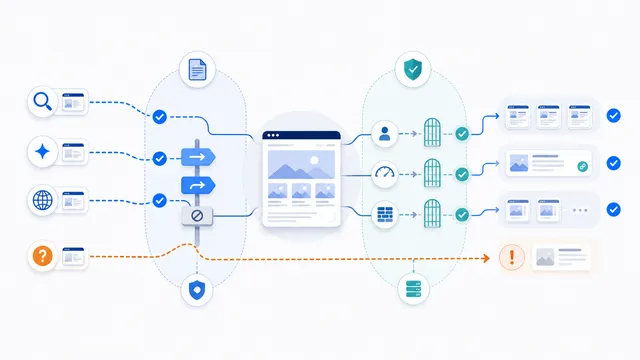
Perplexity’s current documentation says Perplexity-User generally ignores robots.txt because the fetch was requested by a user. That makes this page fundamentally different from a normal crawler guide: a Disallow rule may express your preference, but it should not be treated as an enforceable block.
The example below is therefore advisory only. Do not use it as proof that private or paid content is protected. A public robots.txt file cannot replace application security.
How to protect sensitive content
- Require authentication before returning account, member, or customer data.
- Enforce authorization on every protected request, not only in the interface.
- Use expiring signed URLs for files that should not be permanently public.
- Configure your WAF or reverse proxy when you need verified network-level control.
- Return the correct HTTP status instead of exposing a protected page with only a robots meta tag.
Perplexity publishes separate current IP lists for PerplexityBot and Perplexity-User. For WAF decisions, validate both the user-agent and source address because headers can be spoofed.
Do not confuse it with PerplexityBot
PerplexityBot is the automated search crawler and follows robots.txt. Perplexity-User is a direct, user-initiated fetch. Blocking PerplexityBot may reduce search discovery, while controlling Perplexity-User requires actual access enforcement when the content is not public.
A practical policy
Keep genuinely public pages accessible if you want them cited. Secure genuinely private pages at the server. Treat the robots.txt token as a policy signal only, then verify your application behavior with an unauthenticated request. The robots.txt security guide explains the broader limitation, and the comparison page covers both Perplexity agents.
FAQ
Does Perplexity-User obey robots.txt?
Perplexity says user-triggered Perplexity-User fetches generally ignore robots.txt, so a Disallow rule should not be treated as reliable access control.
Is Perplexity-User used for model training?
Perplexity states that Perplexity-User is not used for web crawling or collecting content to train AI foundation models.
How do I block Perplexity-User from private pages?
Protect those pages with authentication, authorization, signed URLs, server rules, or a WAF. Do not rely on robots.txt alone.
Can I verify Perplexity-User requests by IP?
Perplexity publishes a current IP list for Perplexity-User. For security decisions, check both the source address and user-agent because either signal alone may be insufficient.
What is the difference between PerplexityBot and Perplexity-User?
PerplexityBot performs automated search discovery and follows robots.txt. Perplexity-User fetches a page because a user requested it and generally ignores robots.txt.
 PerplexityBot robots.txt Rules for Search Visibility
 Block Perplexity Crawlers robots.txt Template
 PerplexityBot vs Perplexity-User: robots.txt Controls
 Does robots.txt Stop AI Scraping? Limits and Better Controls
 robots.txt Checker