
PerplexityBot vs Perplexity-User
PerplexityBot is the automatic crawler used to surface and link sites in Perplexity search results. Perplexity-User supports user-requested fetches; Perplexity states that this fetcher generally ignores robots.txt because the request is user initiated.

Copy-paste robots.txt example
User-agent: PerplexityBot
Allow: /

# Perplexity-User is user-triggered; Perplexity states it generally ignores robots.txt.
User-agent: Perplexity-User
Allow: /
Perplexity publishes two user agents with very different behavior. Treating them as interchangeable can produce a robots.txt policy that does not match your intent.
Perplexity example: separate discovery from a user's fetch
Suppose a publisher permits the automatic search crawler to discover public reporting but requires a login for subscriber-only reports. The right test has two components: a robots.txt rule for PerplexityBot and a real authorization check on the private content. A Perplexity-User request should never be the only layer preventing an unauthorized read.
User-agent: PerplexityBot
Disallow: /subscriber/
Allow: /
Test /news/briefing (intended allowed) and /subscriber/report (intended blocked for PerplexityBot). Then check the subscriber URL as a signed-out visitor: it should not reveal confidential report text. The second test is mandatory because user-directed retrieval may not behave like automatic crawler traffic.
Review current guidance at Perplexity crawler documentation and compare with post-deployment verification. Allowing an automated crawler only makes content eligible for discovery; it does not guarantee that Perplexity will index, quote or send visitors to it.
PerplexityBot: automatic search crawling
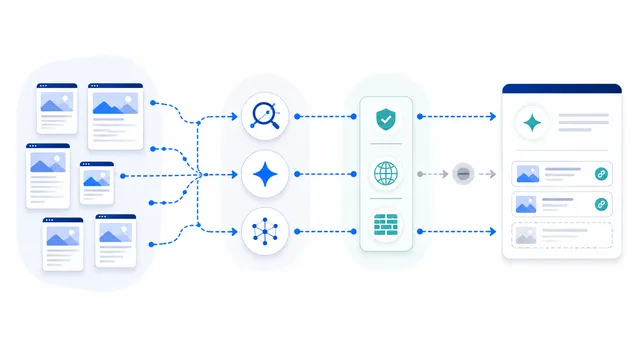
PerplexityBot is designed to discover and surface websites in Perplexity search results. Perplexity says it is not used to crawl content for AI foundation-model training and recommends allowing it when you want the site to appear in search results.
User-agent: PerplexityBot
Allow: /
Perplexity-User: user-triggered retrieval
Perplexity-User can fetch a page when a user asks Perplexity a question. Perplexity says this agent is not used for automatic web crawling or foundation-model training. Its current documentation also says that, because the fetch is user requested, Perplexity-User generally ignores robots.txt rules.
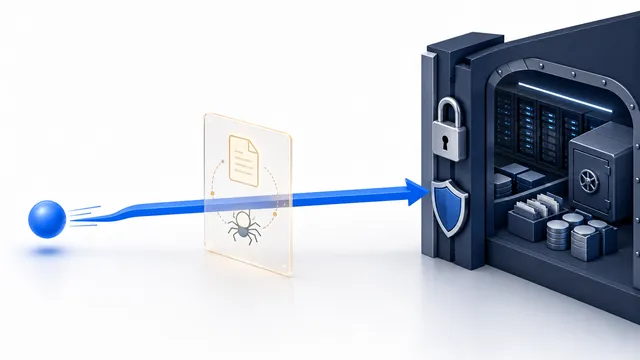
That means a Disallow entry should not be presented as reliable access control for Perplexity-User. If the page must not be retrieved publicly, enforce the restriction at the application, server or WAF layer.
Choose based on the actual goal
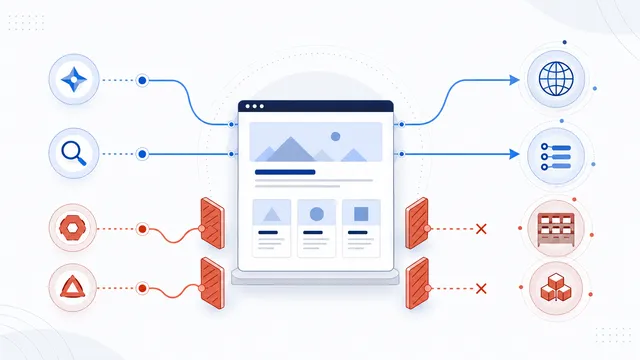
- Want Perplexity search discovery? Allow PerplexityBot and ensure your WAF does not accidentally block its verified traffic.
- Want to stop automatic Perplexity search crawling? Disallow PerplexityBot.
- Need to protect private content? Do not rely on a Perplexity-User robots.txt rule; require real access control.
Verify traffic, not just the User-Agent string
User-Agent strings can be spoofed. Perplexity publishes IP ranges for its agents and recommends combining User-Agent and IP verification in WAF configurations. For the bot reference, see PerplexityBot. To test robots behavior, use the robots.txt Checker.
That distinction is especially important during incident response: a robots.txt test can validate PerplexityBot policy, but it cannot prove that a user-triggered Perplexity-User fetch will be denied.
FAQ
Is PerplexityBot used to train foundation models?
Perplexity states that PerplexityBot is used to surface and link websites in search results and is not used to crawl content for AI foundation-model training.
Does Perplexity-User obey robots.txt?
Perplexity says the fetch is initiated by a user and therefore Perplexity-User generally ignores robots.txt. Use server-side access controls when a restriction must be enforced.
Can I allow PerplexityBot but block Perplexity-User?
You can publish separate groups, but a Disallow rule for Perplexity-User should be viewed as a preference rather than dependable enforcement because the provider says user-triggered fetches generally ignore robots.txt.
Will blocking PerplexityBot remove my site from every Perplexity answer?
It can prevent automatic discovery and reduce search visibility, but previously known URLs, navigational links, or user-requested access may behave differently. The two agents are controlled independently.
How can I verify a real Perplexity crawler?
Check both the user-agent string and the request source against Perplexity’s officially published IP address files. A user-agent header alone can be spoofed.
 PerplexityBot robots.txt Rules for Search Visibility
 Perplexity-User robots.txt Limits and Access Control
 robots.txt Checker
 How to Block AI Crawlers with robots.txt
 robots.txt for AI Search: Discovery Crawler Guide